


Data Analyst & Data Analytics Course in Bangalore with Gen AI: Launch Your Career in 13 Weeks
The Data Analytics course at ScholarLogic, BTM Layout, Bengaluru, is a 13-week course that teaches Excel, SQL, Power BI, Tableau and Python, with a Gen AI module for everyday analysis work. It is taught in classroom and live online batches, with live projects, mock interviews and placement support. You can attend a free demo class before you enrol, and fees are shared by our counselors on +91 78923 93639. Read our guide: skills, tools and how to start.


Trusted by 1000+ learners and

hiring partners across India

1000+ Students Trained
74% Placements Rate
4.7/5 Students Ratings
Which institute is best for data analytics in Bangalore?
ScholarLogic in BTM Layout is one of the most trusted places to learn data analytics in Bangalore. Here’s what you get:
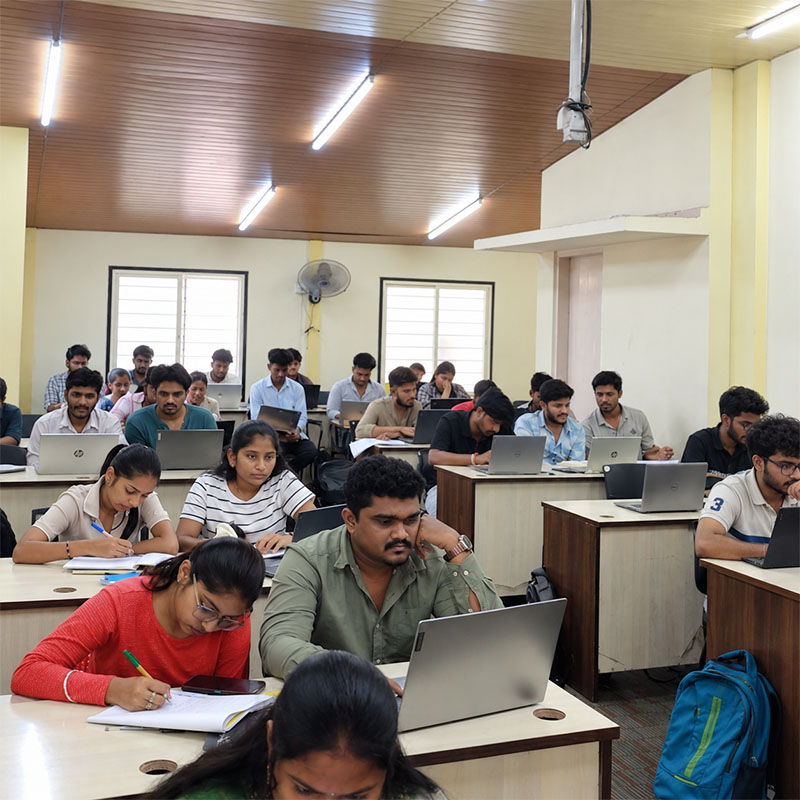
- Small batches of 10–15 students, so every question gets answered
- Trainers with 10+ years of real analytics work: dashboards, production SQL and messy real-world data
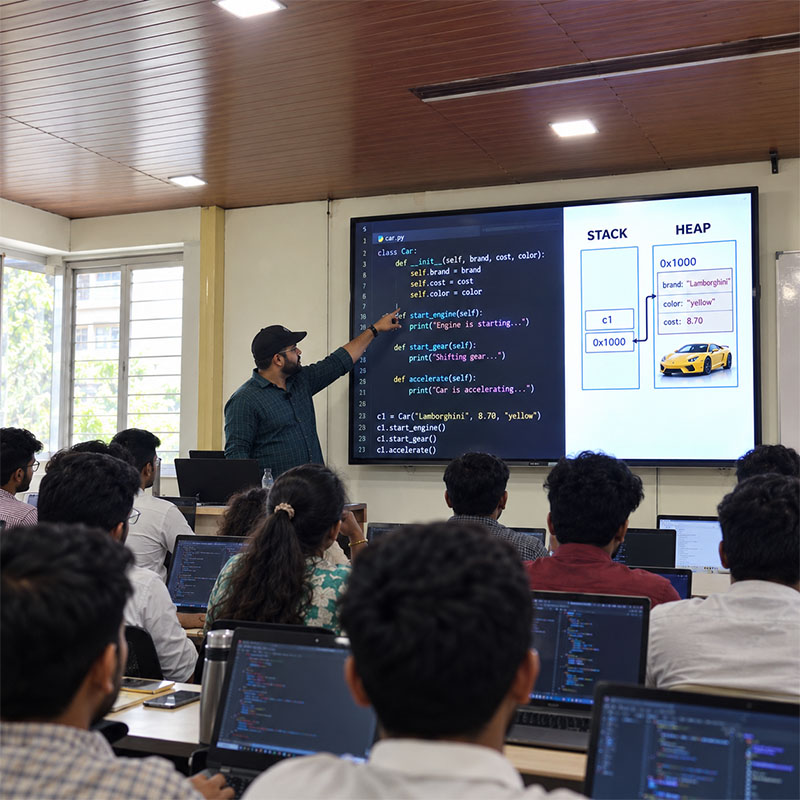
- Excel, SQL, Python, Power BI, Tableau, DAX and Gen AI tools, learned by doing, not from slides
- 2–3 real projects for your portfolio
- A placement team that stays with you until you’re hired, backed by 200+ hiring partners
- 1,000+ students trained, rated 4.7/5 on Google
Why This Data Analyst Course in Bangalore Actually Works
Your trainers aren't academics — they're working professionals who've spent a decade doing this stuff for real companies
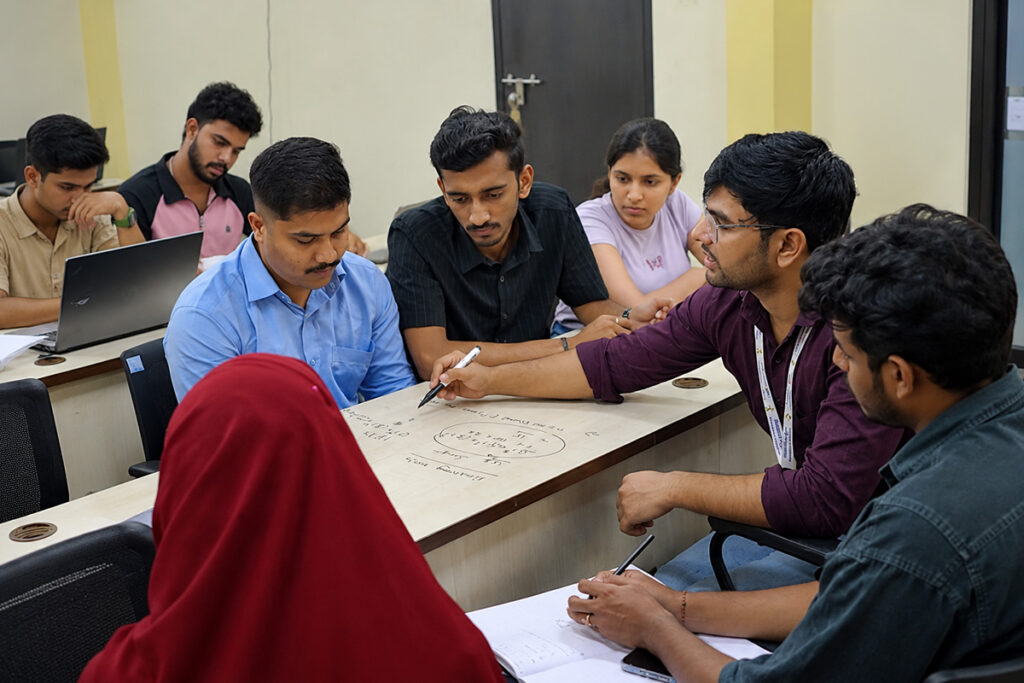
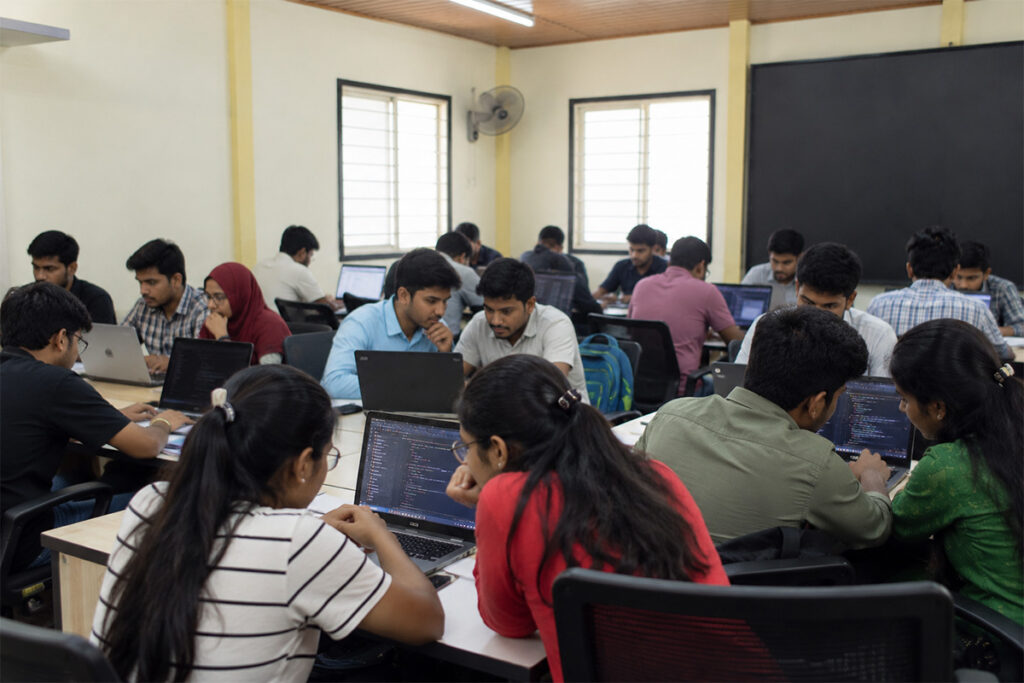
You won't get lost in a crowd. Batches are capped at 10–15, which means your trainer actually knows your name
The curriculum isn't stuck in 2018. It's updated to match what Bangalore companies are hiring for right now
You'll use Power BI, Tableau, DAX, Excel, SQL, Python & Gen AI tools — all of them, not just one or two
There's a proper mentorship setup — 1-on-1 doubt clearing, practice sessions, and someone checking your progress
You walk out with 2–3 real projects in your portfolio. Not toy datasets — actual industry scenarios
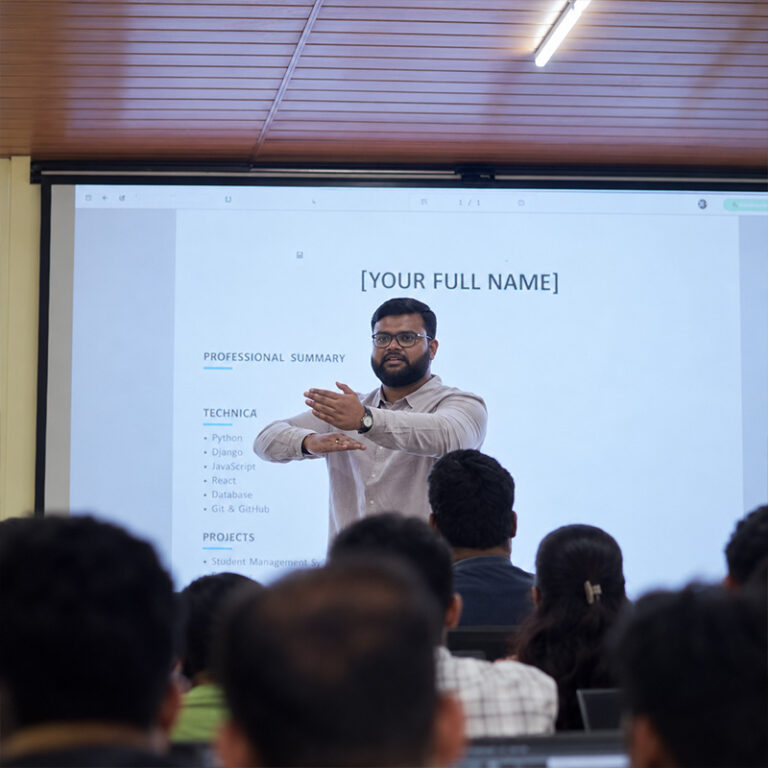
Resume building, mock interviews, LinkedIn optimization — the placement team starts working with you from week one
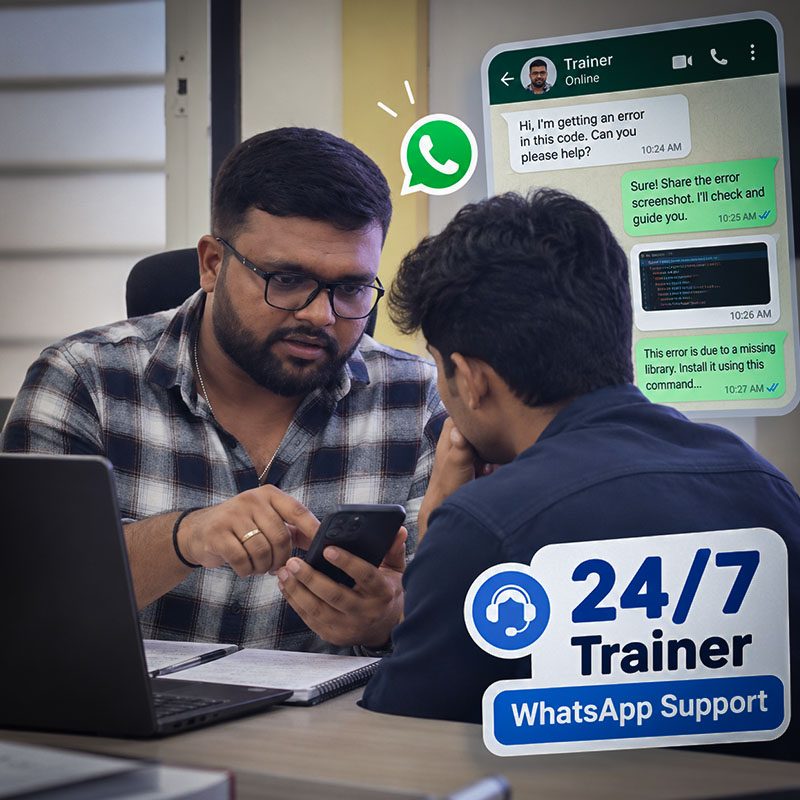
Stuck at 11 PM on a problem? The trainers are on WhatsApp. Seriously. They reply.
Here's Exactly What You'll Learn (No Surprises)
We went through hundreds of job postings from Bangalore companies — Infosys, Wipro, startups on Koramangala, consulting firms in Whitefield — and built this curriculum around what they actually ask for. Every single topic here maps to a real interview question or a real workplace task.
- Getting comfortable — shortcuts, data entry, fill series, and formatting that doesn’t look like a mess
- Cell referencing (absolute, relative, mixed), SUM, SUMIF, COUNT, AVERAGE, MAX, MIN
- Logic that actually matters: IF, AND, OR, nested IFs, IFERROR — the stuff interviews love
- VLOOKUP, HLOOKUP, INDEX-MATCH, INDIRECT, OFFSET — yes, all of them
- Date functions, text functions, data validation with dependent dropdowns
- Cleaning dirty data: removing duplicates, sorting, filtering, advanced filter tricks
- Conditional formatting, every chart type you’ll need (bar, line, scatter, waterfall, pie)
- Pivot Tables & Charts — slicers, calculated fields, the works
- Building actual dashboards — layout, formatting, making it look professional
- Power Query: connecting to sources, cleaning, transforming, loading
- Power Pivot: merging tables, appending, building relationships between datasets
- Getting comfortable — shortcuts, data entry, fill series, and formatting that doesn’t look like a mess
- Cell referencing (absolute, relative, mixed), SUM, SUMIF, COUNT, AVERAGE, MAX, MIN
- Logic that actually matters: IF, AND, OR, nested IFs, IFERROR — the stuff interviews love
- VLOOKUP, HLOOKUP, INDEX-MATCH, INDIRECT, OFFSET — yes, all of them
- Date functions, text functions, data validation with dependent dropdowns
- Cleaning dirty data: removing duplicates, sorting, filtering, advanced filter tricks
- Conditional formatting, every chart type you’ll need (bar, line, scatter, waterfall, pie)
- Pivot Tables & Charts — slicers, calculated fields, the works
- Building actual dashboards — layout, formatting, making it look professional
- Power Query: connecting to sources, cleaning, transforming, loading
- Power Pivot: merging tables, appending, building relationships between datasets
- VBA & Macros — recording, editing, loops, even user forms if you want to go deep
- What Tableau is, why companies love it, desktop editions and which one to pick
- Data types, dimensions vs measures, aggregation, live connections vs extracts
- Charts that matter: bar, line, symbol maps, filled maps, text tables, highlight tables
- Filters — extract, data source, context, dimension, measure, quick filters
- Calculations: basic calcs, LOD expressions (this is where it gets powerful), table calcs
- Joins, relationships, blending, unions — connecting messy data sources
- Custom visuals: dual axis, donut charts, lollipop charts, KPI cards
- Groups, bins, hierarchies, sets, parameters — organizing your analysis
- Analytics pane: reference lines, trend lines, forecasting
- Dashboard design: tiled vs floating, filter actions, highlight actions, URL actions
- Getting started: installation, interface walkthrough, understanding the ecosystem
- Every visualization type you’ll need, loading data from Excel, CSV, databases, web
- Maps, scatter plots with play axis — the visuals that make stakeholders sit up
- AI visuals: analysis charts, Q&A chatbot, decomposition tree — yes, Power BI has AI built in
- Column charts, line charts, conditional formatting, custom formatting tricks
- Power Query Editor: loading, cleaning, splitting, appending, merging — data prep done right
- Data modelling: relationships, cardinality, cross-filter direction — the foundation of good reports
Filters, trend analysis, forecasting, what-if parameters - Tooltips, drill-down, drill-through, bookmarks, page navigation buttons
DAX deep dive: calculated columns, measures, time intelligence, rolling averages, YoY comparisons
The Gen AI Module
Every ScholarLogic data analytics student also learns to work with Gen AI. The module covers:
- Prompt engineering: clear instructions, role prompting, few-shot and chain-of-thought prompts
- Turning messy text into structured data (JSON) with prompts
- Using AI inside Excel and SQL: writing formulas, finding insights in a dataset and designing dashboards
- Building a chatbot in Python with memory and fallbacks, and connecting it to your own FAQ data with LangChain
You practise on real tasks and use these skills in your capstone projects.
Course Fees
For the best price, contact our counselors. Call +91 78923 93639 or book a free demo class, and we will guide you on fees, batches and the pay after placement option.
The Tools Bangalore Companies Actually Hire For
We didn’t guess what to teach. We looked at real job postings — from Deloitte, Accenture, TCS, startups in HSR Layout, product companies in Indiranagar — and built training around the exact tools hiring managers search for on resumes.
Everyone thinks they know Excel. Then they sit in an interview and get asked about Power Query or INDEX-MATCH and freeze. We take you from basics all the way to VBA — properly.
This shows up in 95% of data analyst job descriptions. Not exaggerating. You’ll write queries, joins, subqueries, window functions — the stuff that actually gets tested.
Pandas, NumPy, Matplotlib for Python. Together, they let you automate boring work and do analysis that Excel simply can’t handle.
Prompt engineering, chatbots with LangChain, and AI inside Excel and SQL. These skills are fast becoming a requirement for analyst roles, and you practise them on real tasks.
Microsoft’s BI tool is everywhere in enterprise. You’ll build real dashboards, write DAX measures, use AI visuals, and publish to Power BI Service. Not just click-along demos.
Copilot-assisted report building: create report pages and visuals with Copilot, then check and edit the results. Gantt charts and list slicers are introduced as preview features, so you learn how to use them and check their release status before using them at work.
Startups and consulting firms in Bangalore swear by Tableau. You’ll learn LOD expressions, custom charts, interactive dashboards — the things that get you noticed in interviews.
Data Analysis Expressions for Power BI. Calculated columns, measures, time intelligence, rolling averages. Sounds technical? It is. But our trainers break it down until it clicks.
Knowing which chart to pick, how to structure a dashboard, how to present findings to a room full of non-technical people without boring them to tears — that’s a skill. We teach it.
Still Thinking About It?
Look, I get it. It’s a big decision. But here’s the thing — every week you wait is a week someone else is learning these skills and applying for the jobs you want. Over 1,000 students have already made the move. The question isn’t whether data analytics is worth learning. It’s whether you want to start now or wish you had started sooner.
Data Analytics Certificate Course in Bangalore
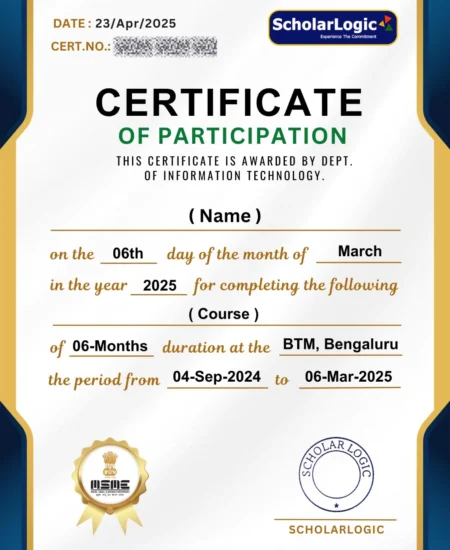
Industry-Recognized Certification:
After completing this program, you will receive a well-respected Data Analytics Certificate that is valued across the tech and business industries. This certification highlights your analytical skills, practical project experience.
Strong Certification Credibility:
Our Data Analytics Certification carries genuine weight in the job market. It showcases your commitment to learning, the hands-on training you’ve undergone, and the practical knowledge you’ve built throughout the course.
Data Analytics professionals are in extremely high demand, and the skills you gain in this program align with what companies are actively hiring for.
Boosts Career Growth:
Students who complete this certification often see faster career growth, whether they are starting their career or switching fields.
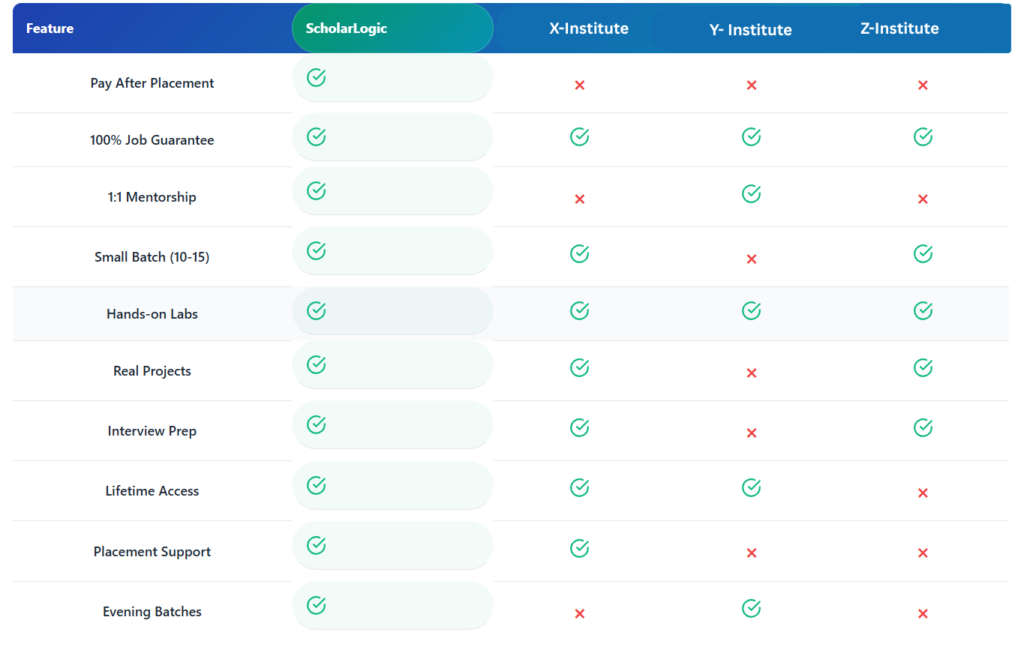
Why ScholarLogic?
Compare us with other training institutes in Bommanahalli
Program Highlights
Top-Notch Faculty
Trainers at Scholarlogic are passionate about training, and carry 10+ years of industry experience.
Exhaustive Course Curriculum
Our industry-relevant course curriculum is tailored to provide practical exposure with the theory.
Real-life Projects and Bootcamps
Learners will work on real-life data analytics scenarios from various domains to get application knowledge.
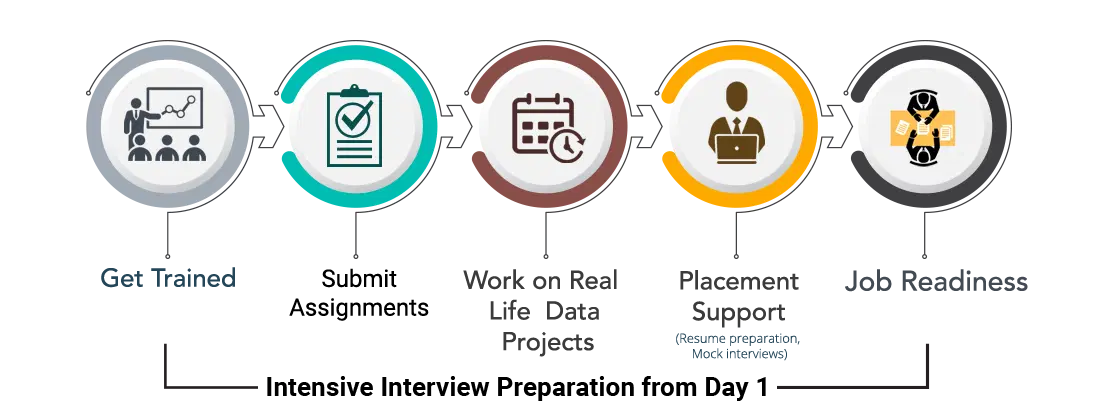
Job Readiness Program
Intensive interview preparation from Day 1 to prepare candidates for interviews with our network of 200+ hiring partners.
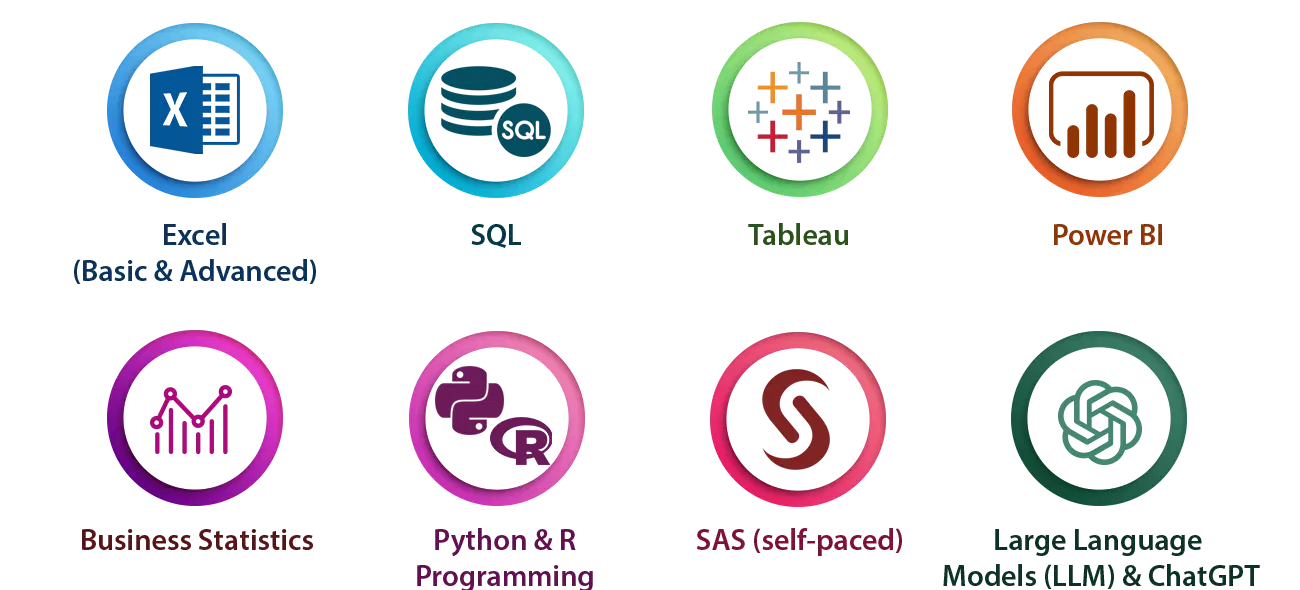
Skills Covered
Tools & Technologies Covered
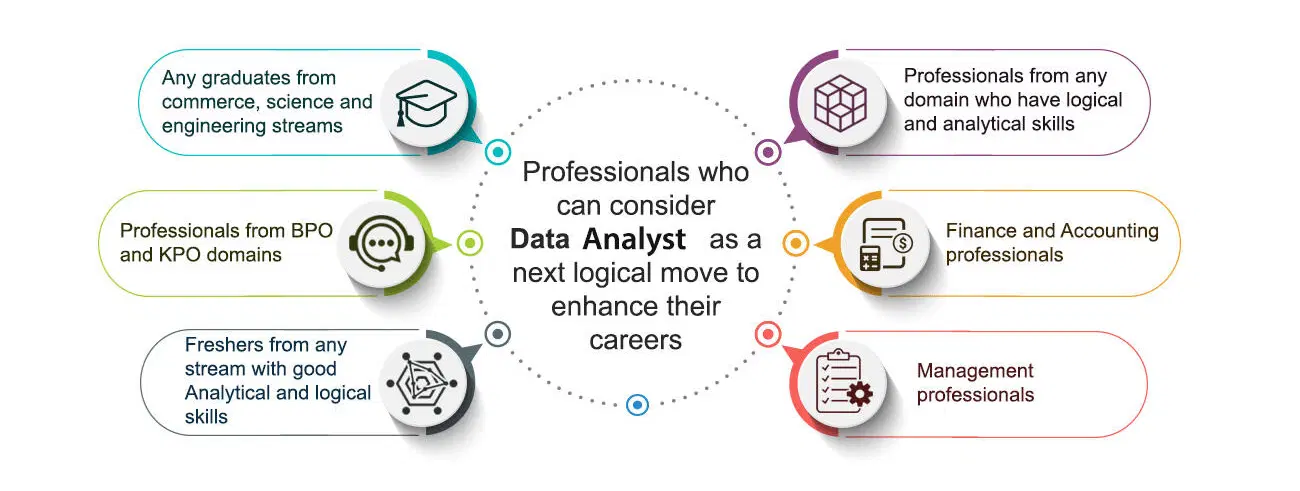
Who Should Join the Data Analyst Course in Bangalore?
Learning Path
Why ScholarLogic?
Experienced Faculty
Work Hands-on with 2+ Real Life Projects
Dedicated Placement Cell for Placement Assistance
Dedicated Case studies support team
24/7 Trainer Whatsapp Support
Lifetime eLearning access
Contact Our Team of Experts


From Learning to Earning Real Students Journey
What Our Students Have To Say about Us

ScholarLogic’s DevOps training provided clear insights into pipelines. The real-time tasks and mentor guidance quickly built my confidence and prepared me for the job.
Narayana Swamy
Student

The Python course was straightforward, practical, and well-organized. The hands-on exercises enhanced my coding skills and effectively prepared me for interviews.
David S
Student
AWS sessions were productive and focused on real projects. The trainer explained cloud concepts clearly, making complex topics easy to understand.
Dipen Bhangale
Student

Data analytics training covered SQL, Power BI, and Excel using real datasets. I gained confidence through practice labs and received strong placement support.
Harshith Vasanth
Student

The Java course effectively covered both basic and advanced concepts. Real-world examples and project guidance enabled me to master coding and approach interviews with confidence.
Rohit Gurjar
Student

The Front-End Development course at ScholarLogic was outstanding. The curriculum was up-to-date with the latest technologies, and the trainers made learning enjoyable. The projects were challenging but rewarding and the placement support was very effective.
Jidnyesh Sachin Patil
Student

ScholarLogic’s DevOps course provided an excellent foundation for my career. The trainers were experts in the field, and the course content was up-to-date and relevant. The placement support was effective, and I was able to secure a job shortly after completing the course.
Golu Tekade
Student

Scholarlogic is best for learning it field and teaching was excellent and I have learned Devops and this institute helpful for students ,it is overall good experience for me, the way of teaching and solving doubts and guiding me was good😊
Veeresh
Student

The way of teaching is so good for me the teaching is so clean and neat easily understood. They help me clear all my doubts anyway it is a good experience in my life Like
Brijesh
Student

I recently completed a course at ScholarLogic Training Institute, and I must say, it exceeded all my expectations. From start to finish, the experience was nothing short of exceptional.
Dayanand
Student
"Fantastic coaching classes! Great instructors, and personalized attention. Highly recommend!" Thank you Scholarlogic
Shrivathsa M
Student
I have completed my cloud computing course recently I had good experience in scholar logic and the trainers are very friendly.
Pandurang Hundekar
StudentPosted on Google![]()
Yuvaraj b YuvarajTrustindex verifies that the original source of the review is Google.
My learning experience at Scolerlogics is very good. The trainers explain concepts clearly and help us understand topics easily. We get practical knowledge and good support from the trainers. It is a good place for students to improve their technical skills and gain confidence. Thank you to all the trainers for their support and guidance.Posted on Google![]()
gangaram lamaniTrustindex verifies that the original source of the review is Google.
Pooja Mam explains DevOps concepts clearly with practical examples, making the sessions easy to understand and engaging. Her guidance and supportive teaching style have helped me improve my understanding and confidence in DevOps. Overall, it was a great learning experience.Posted on Google![]()
Kunuthuru YashwanthreddyTrustindex verifies that the original source of the review is Google.
I had a good experience with the AWS course at ScholarLogic. The course content is useful and easy to understand. The trainer explains the concepts clearly and is very supportive. I learned a lot about AWS and cloud technologies. Overall, I’m happy with the training and would recommend ScholarLogic to others.Posted on Google![]()
Madhavan AchuthalingamTrustindex verifies that the original source of the review is Google.
The AWS class at Scholarlogic was good and well organized. The concepts were explained clearly, and the sessions were neat and easy to understand. Overall, it was a good learning experience.Posted on Google![]()
Saloni ChouguleTrustindex verifies that the original source of the review is Google.
Scholar Logic is a good training institute with supportive trainers and practical learning. The concepts are explained clearly, and the training is helpful for improving technical skills and interview confidence. Overall, a good place for freshers to learn and grow.Posted on Google![]()
Hemanth.STrustindex verifies that the original source of the review is Google.
Mam Pooja explained the concepts patiently and made it easier to understand both the theory and practical implementation. We covered the major AWS services and worked on hands-on concepts, which gave me better confidence in working with AWS. I’m really thankful to ScholarLogic and Mam Pooja for providing a good learning environment and guidance throughout the course. Overall, it was a valuable experience for me, especially as I’m starting my career in Cloud Computing. I would definitely recommend this course to anyone looking to learn AWS and build a strong foundation in Cloud.Posted on Google![]()
Tharun SaiTrustindex verifies that the original source of the review is Google.
I am started in scholorlogic institute they give believe to me to get a job on my course and they trained very in my course they encouraged to placement drive to me and trainers very well on course and good explanation and they provide assignment and written works and it is good for new batchPosted on Google![]()
Gongati Naresh -Artificial intelligenceTrustindex verifies that the original source of the review is Google.
The AWS training was very useful and practical. The trainer explained each concept clearly with real-time examples and hands-on practice, which made it easier to understand how AWS services are used in real-world projects. I especially appreciated the trainer’s patience in answering questions and guiding us during practical sessions. Overall, it was a great learning experience to mePosted on Google![]()
Snkar SaiTrustindex verifies that the original source of the review is Google.
AWS session was very informative and beginner-friendly. Explained EC2, S3, VPC concepts very clearly with real-time examples. Learned how cloud actually works.Explain each and services clearly therosy part as well as practical alsoo.Thank You
Book Your Free Class Now
The Application is free and takes only 5 minutes to complete
Data Analytics Course Syllabus and Career Path in Bangalore
The 13-week Data Analytics course at BTM Layout covers Excel, SQL, Power BI and Python, with live projects, plus a Gen AI module on using AI tools for analysis. You work with real datasets, build dashboards and learn to explain findings in plain language, which is what interviewers look for.
It suits freshers, graduates from any stream and working professionals who want to move into analytics. Typical roles include data analyst, business analyst and reporting analyst. Free demo classes run every morning at a time that suits you.
For the best price, contact our counselors at +91 78923 93639. EMI is available, ask our counselors.
Data Analytics Course in Bangalore for Freshers and Working Professionals
Freshers and graduates from any stream can join the 13-week Data Analytics course at BTM Layout, and working professionals can use it to move into analytics. You learn Excel, SQL, Power BI and Python on live projects, with a Gen AI module on using AI tools for analysis. Typical roles include data analyst, business analyst and reporting analyst.
Ask our counselors about current batch timings. Free demo classes run every morning, at a time that suits you.
For the best price, contact our counselors at +91 78923 93639. EMI is available, ask our counselors.
Still comparing institutes? Read our guide to choosing the best data analytics course in Bangalore.
FAQs
What are the prerequisites for this data analytics course?
- As such, there is no prerequisite for undertaking this training. However, it is highly desirable if you possess the following skills sets
- Analytical expertise
- Good critical thinking and problem-solving skills
- Communication Skills
What Are The Career Opportunities For Data Analyst Professionals?
- Data Analyst has become the spine around which crucial company decisions are made. Organisations are paying top dollars to recruit Data Analyst professionals and the demand is only going to increase with the influx of data from new sources. The career roles that you can cherry pick are
- Data Analyst
- Research Analyst
- PMO
- Business Analyst Consultant / Manager
- Data Analyst In Various Domains/ Functions eg: Banking, Health Care, Retail, Telecom, e-Commerce, Marketing, Sales, HR & Finance.
What Kind Of Salary Can I Expect As A Data Analyst Professional?
- Just as the saying goes – You reap what you sow, your experience plays an important factor in determining the package that you will be offered
- Entry Level – 3.5 to 4.5 Lakhs PA
- Intermediate Level – 4.5 to 8.5 Lakhs PA
- Experienced Level – 10 to 16 Lakhs PA
- Advanced Level – 17 to 25 Lakhs PA
I am from one of the departments of Sales/Marketing/Diploma/HR/Finance. Is Data Analyst Course Suitable for me ?
- The companies in the above domains are generating huge amounts of data which requires a specialist to analyse and generate insights from this data & that requires some amount of functional knowledge from the above departments. For eg: Data from Sales Dept can be analysed efficiently by a data analyst who has sound knowledge on sales.
I am A Fresher/ Recently Graduated. Is Data Analyst Course Suitable for me ?
Yes. The course starts from the basics of Excel and builds up to SQL, Power BI, Tableau and Python, so recent graduates from any stream can join. Many companies hire freshers as junior data analysts, and the live projects and mock interviews in this course help you prepare for those roles.
What is the difference between Data Scientist & Data Analyst ?
- Data Analyst helps a Data Scientist in the execution of Data Science Projects by extracting data from SQL and cleaning the data using various tools, before it can be passed onto a Data Scientist. When the data analyst gets promoted they become Data Scientists.
So, Data Scientists would build the machine learning algorithms using Python. Ultimately, the data that has been received from Data Analysts.
Data Analyst and Data Scientist jobs are of the stream, but the level of difficulty and skillset would vary as stated above. But both the roles have a great upskilling value in today’s job market.
If you want to go further into machine learning, see our data science course in Bangalore.
What Is Instructor-Led Online Training?
- It is a live instructor-led interactive session which is done at a specific time where participants and trainer will log in at the same time. The same session will be also recorded and access will be provided to revise, recap or watch any missed session.
How Many Batches Can I Attend, If Enrolled For Training?
- ScholarLogic offers a blended model of learning. In this model participants, can attend classroom, instructor-led live online and e-learning (recorded sessions) with a single enrolment. A combination of these 3 will produce a synergistic impact on the learning. One can attend multiple Instructor-led live online sessions for one year from different trainers at no additional cost.
Is This A Live Training Or Recorded Sessions?
- The training is a live instructor-led interactive session done at a specific time where participants and trainer will log in at the same time. The same session will be also recorded and access will be provided to revise, recap or watch a missed session.
Whom Should I Contact If I Want to Know More Information About The Training?
You can reach out to us by visiting our website https://scholarlogic.net/ and interact with our live chat support team. Our customer service representatives will assist you with all your queries. You can also send us an email at info@scholarlogic.net with your query and our Subject Matter Experts / Sales Team will clarify your queries or call us on 7892393639
What If I Miss A Live Session?
- Not a problem even if you miss a live Data Analytics session for some reason. Every session will be recorded and access will be given to all the videos on ScholarLogic state-of-the-art Learning Management System (LMS). You can watch the recorded Data Science sessions at your own pace and convenience.
Will I Get A Data Analyst Course Completion Certification From ScholarLogic?
- Yes, after successfully completing the course you will be awarded a course completion certificate from ScholarLogic.
What Are The Different Modes Of Payment Available?
The different payment methods accepted by us are
- Cash
- Net Banking
- Cheque
- Debit Card
- Credit Card
Is there a pay after placement option for the data analytics course?
Yes. A pay after placement option is available for this course. Please contact our counselors at +91 78923 93639 for the details.
Which is the best data analytics course in Bangalore for freshers?
Look for a course that teaches Excel, SQL, Power BI or Tableau and Python through real projects, keeps batches small, and gives practical placement support such as resume help and mock interviews. Our 13-week Data Analytics with Gen AI course at BTM Layout covers all of these, and you can attend a free demo class before you decide.
Can I learn data analytics in 3 months?
Yes. This course runs for 13 weeks (about 3 months) and takes you from Excel basics to SQL, Power BI, Tableau, Python and a Gen AI module, with live projects along the way. Regular practice outside class makes a big difference.
Do you offer a free demo class?
Yes. You can book a free demo class at our BTM Layout centre or online. Call +91 78923 93639 to book a slot.
What will I learn in the data analytics course?
You will learn Excel, SQL, Power BI, Tableau and Python, plus a Gen AI module that covers using AI tools for data cleaning, queries and summaries. The course is built around live projects, so you practise each tool on real datasets.
Is there placement support?
Yes. Placement support includes resume preparation, mock interviews and introductions to our hiring partners.
What is the placement rate?
The course brochure states 74% placements. Placement support includes resume preparation, mock interviews and introductions to our hiring partners. Ask our counselors for the current placement details during your free demo class.
Are classes online or in person?
Both. Classroom batches are held at our BTM Layout centre, and live online batches are also available.
What is the difference between data analytics and data science?
Data analytics answers business questions from existing data using Excel, SQL and BI tools. Data science adds statistics and machine learning to predict what may happen next. Ask us in a free demo class if you are unsure which fits you.
Which tools will I learn in the data analyst course?
You will learn Excel, SQL, Power BI and Python, along with a Gen AI module on using AI tools for analysis.
Is there a data analytics course in Bangalore with placement support?
Placement support means resume help, mock interviews and interview preparation. Results depend on each student’s effort.
What is the fee of the data analytics course in Bangalore?
For the best price, contact our counselors at +91 78923 93639. EMI is available, ask our counselors.
Can working professionals join the data analytics course?
Yes. Ask our counselors about current batch timings.
Where is the data analytics course near BTM Layout?
Our centre is at 701, 30th Main Road, BTM 2nd Stage, Bengaluru 560076.
Do I need coding to learn data analytics?
No. Excel and SQL come first, and Python is taught step by step.